 01
01Follow Layered Methods Instructions
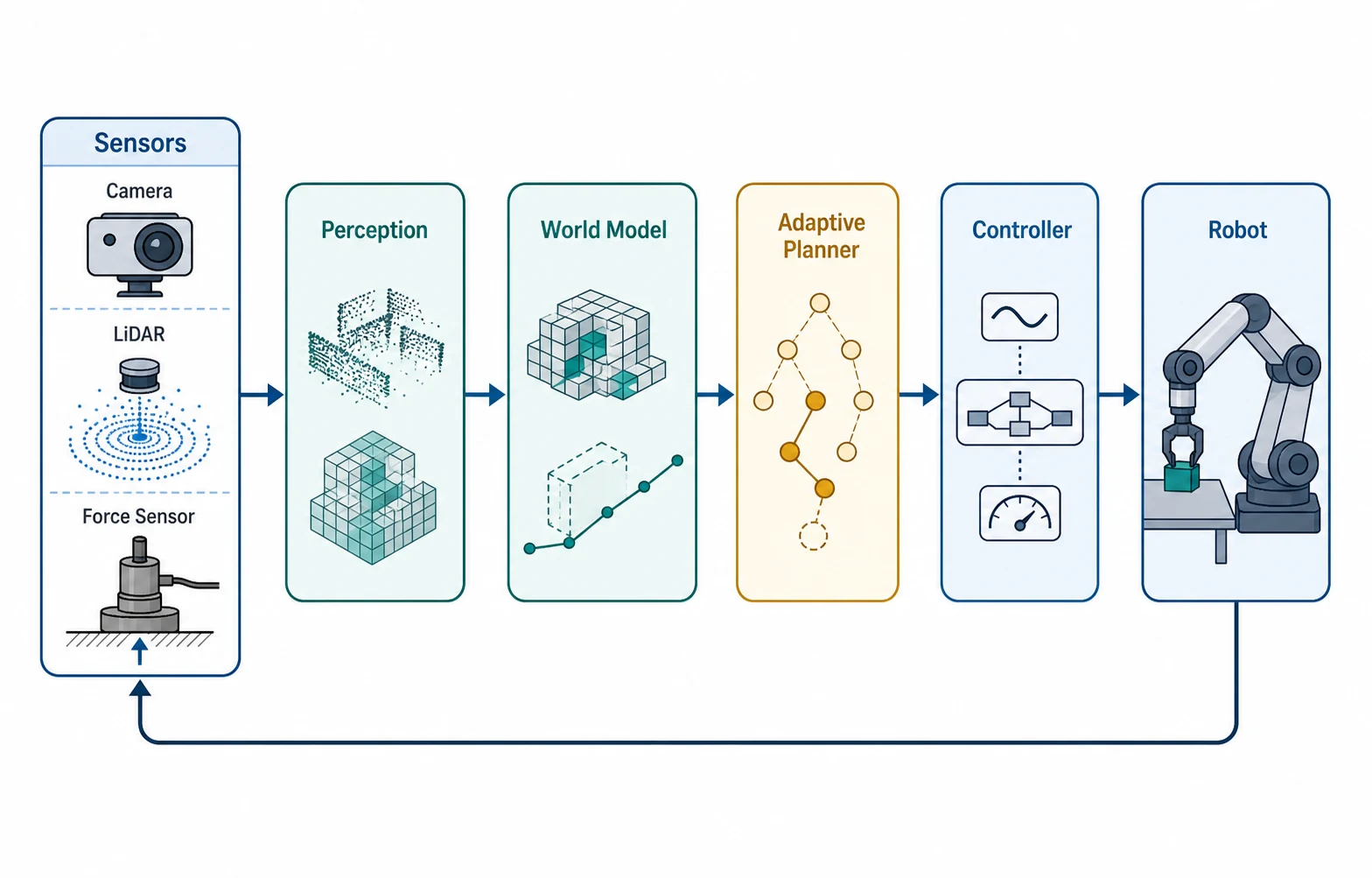
Turn algorithms, workflows, and system descriptions into technical figures with specified modules, connectors, labels, legends, and panel order.
 FigEditor
OPENAI IMAGE GENERATION FOR RESEARCH
Academic prompt examples
Select an academic example to reuse its prompt for a methods figure, results panel, evidence flow, or graphical abstract.
Use an instruction-focused model when one figure must coordinate exact copy, multiple panels, preserved references, and precise local edits.
01Turn algorithms, workflows, and system descriptions into technical figures with specified modules, connectors, labels, legends, and panel order.
 02
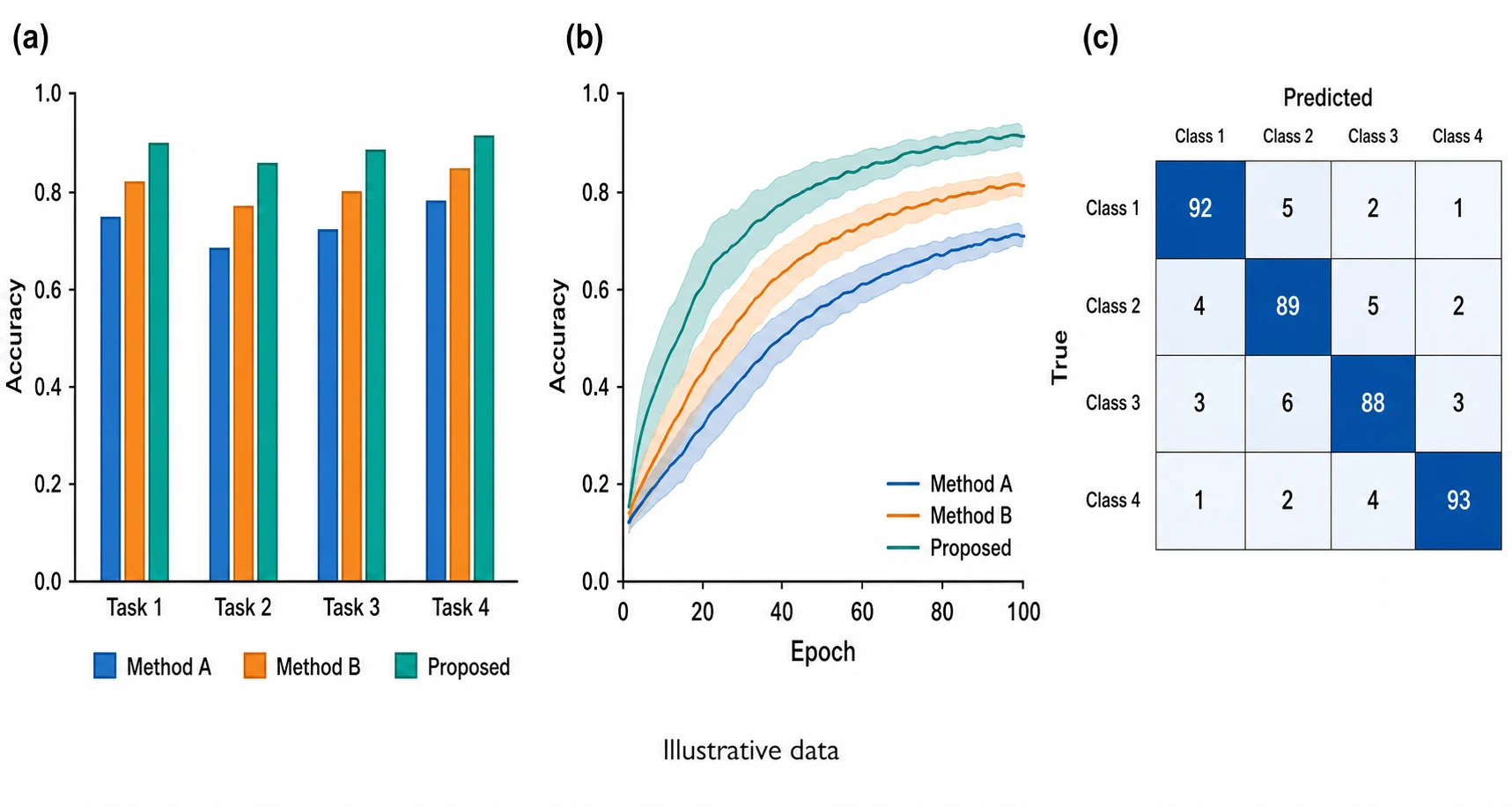
02Coordinate headings, annotations, callouts, and illustrative panels without reducing the prompt to a single visual idea.
 03
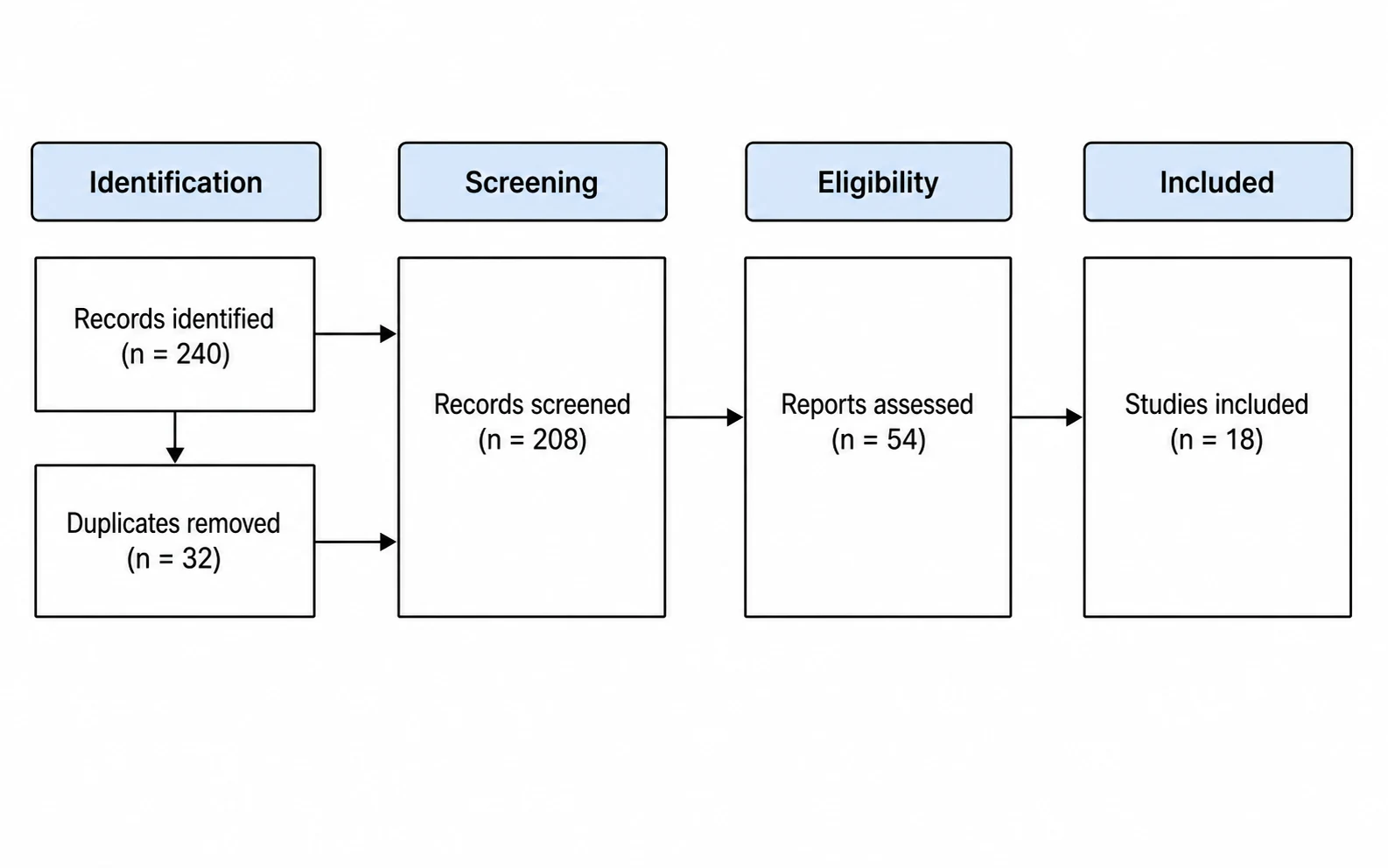
03Revise one section of a source figure while retaining the important identity, layout, palette, and structure of the input.
MODEL STRENGTHS · GPT IMAGE 2
Specify headings, labels, legends, and annotations together for diagrams and explanatory figures where text is part of the visual system.
Describe panel order, alignment, spacing, connectors, emphasis, and exclusions in one prompt for a more predictable academic layout.
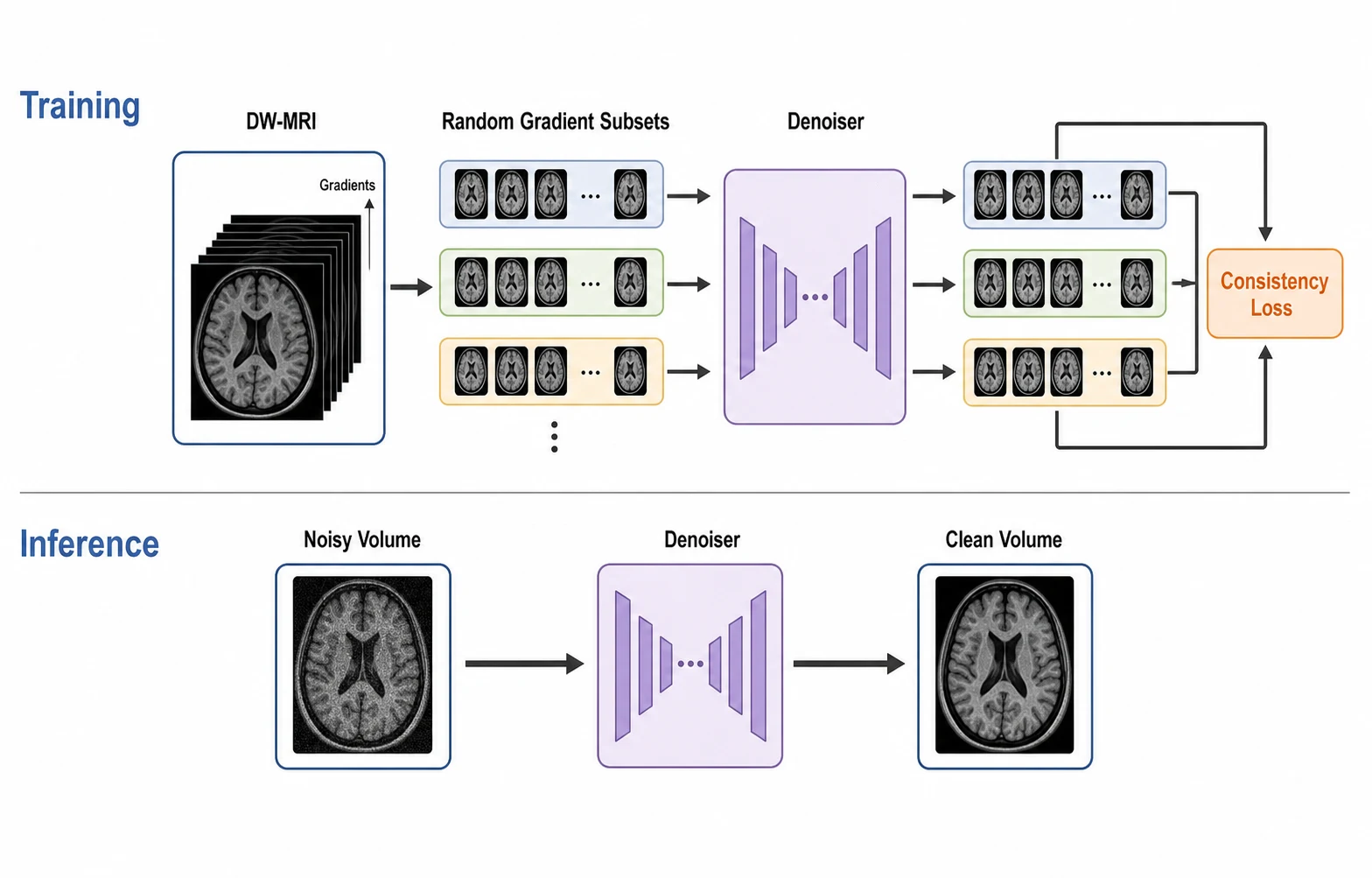
Assign references to source structure, object identity, layout, content, or visual direction so targeted revisions keep the details that matter.
Reduce avoidable redraws on complex figure briefs while retaining researcher oversight for every scientific claim.
Keep constraints, terminology, layout, and references explicit throughout each iteration.
Fewer RetriesKeep constraints, terminology, layout, and references explicit throughout each iteration.
Conversational EditingKeep constraints, terminology, layout, and references explicit throughout each iteration.
Resolution PricingKeep constraints, terminology, layout, and references explicit throughout each iteration.
High-Fidelity InputsKeep constraints, terminology, layout, and references explicit throughout each iteration.
Broad Ratio SupportKeep constraints, terminology, layout, and references explicit throughout each iteration.
Researcher ReviewEnter the complete research structure, upload sources for fidelity, then compare the output with every stated constraint.
Paste the methods, caption, or structured outline, including the intended audience and required relationships.
Assign source images a clear role, then specify exact text, panel order, aspect ratio, and resolution.
Check terminology, values, claims, accessibility, and visual integrity before export.

FLEXIBLE PRICING
$19 $9.5/month
$39 $19.5/month
$69 $34.5/month
Answers about layered prompts, text rendering, high-fidelity editing, resolution limits, and responsible academic use.
GPT Image 2 is stronger at following layered instructions, placing text within structured layouts, preserving reference details, and completing targeted edits with fewer retries.
Provide exact copy, hierarchy, panel order, and exclusions. Keep labels short, specify alignment, and verify every term after generation.
Use 1K for drafts, 2K for most review cycles, and 4K for dense final layouts that need additional label detail.
No. Generated figures must not be treated as experimental evidence. Researchers remain responsible for every value, claim, label, and interpretation.