Mind map
One center, radial branches, and a clear hierarchy. Use it for brainstorming, revision, outlining, and planning.
 FigEditor
Mind Map Generator turns a topic, pasted notes, or an outline into a clear radial visual. FigEditor asks the selected image model to organize the central idea, main branches, and supporting subtopics for study, research, brainstorming, project planning, and presentations.
Research Paper Review
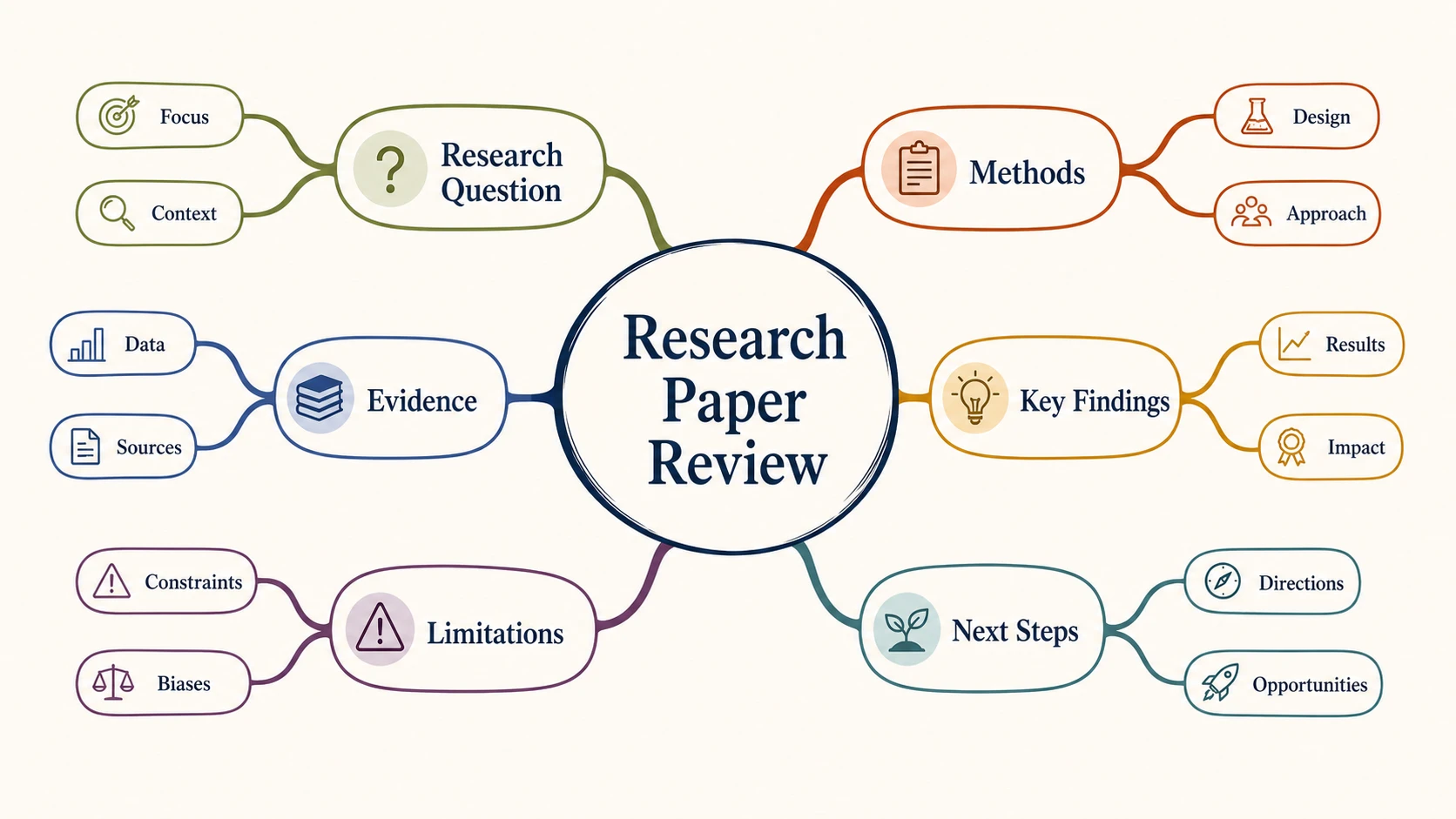
USE THE RIGHT VISUAL STRUCTURE
One center, radial branches, and a clear hierarchy. Use it for brainstorming, revision, outlining, and planning.
A network of concepts connected by labeled relationships. Use it when cross-links and causal relationships matter.
Use the same topic-to-map workflow to remember a subject, review a source, brainstorm ideas, or organize work before you act.
02 MIND MAP INTELLIGENCE
The mind-map prompt asks for one central topic, four to seven main branches, and only the subtopics that clarify the hierarchy. Generated structures can vary, so review the result before using it.
Keyword-style labels make the whole map readable at a glance. Sibling branches stay at a consistent level instead of mixing broad themes with full sentences.
Open the generated result in FigEditor for image-level AI changes, visual cleanup, annotations, and another iteration based on the same source.
Move from an unstructured topic or page of notes to a polished visual without placing every branch by hand.
Start with a complete radial draft instead of manually adding, spacing, and recoloring every branch. Faster first draft
Describe the topic and the ideas that matter. No diagram syntax, outline markup, or design experience is required. No code required
Choose the image model, aspect ratio, and resolution before generation so the credit cost stays predictable. Transparent workflow
A visual hierarchy can expose missing categories, repeated ideas, uneven branches, and sections that need more evidence. Reviewable structure
Download a high-resolution image for notes, slides, papers, teaching material, project briefs, or workshop documents. Presentation-ready
Name terminology that must stay unchanged, then review every generated label against the source before sharing the map. Human-reviewed output
Enter the central topic, choose the important branches, then generate, review, and download the radial map.
Use a subject, research question, project name, essay prompt, or learning goal. Paste notes when you want the map to follow supplied material.
Aim for four to seven main branches. Mention essential terms, desired subtopics, and anything the AI must not invent or rename.
Check every label and branch against your source. Download the image or open it in FigEditor for visual cleanup and another iteration.
Simple pricing
Choose a plan designed for the way you communicate research.
For individual researchers who need the complete visual workflow with a practical credit allowance
Start creatingFor researchers who need more iterations, commercial use, and every advanced visual workflow
Start creatingFor teams that need high-volume credits, commercial use, and support across the full workflow
Start creatingStart with one central topic, identify four to seven main categories, and add short supporting ideas beneath each branch. In FigEditor, enter the topic or paste notes, select an image model and output size, generate the map, then check every label and relationship before downloading or refining the result.
A mind map generator analyzes the subject, groups related ideas, chooses a central concept, and arranges the supporting points as radial branches. FigEditor accepts a topic, outline, or pasted notes, then creates a visual draft with concise labels that you can review, download, or refine in the editor.
A mind map organizes one central topic into a radial parent-and-child hierarchy. A concept map connects several concepts through labeled relationships, cross-links, or causal paths. Choose a mind map for brainstorming, revision, and outlining; choose a concept map when the relationships between multiple ideas need explicit explanation.
An online mind map maker is useful for exam revision, research paper review, essay planning, meeting preparation, brainstorming, product strategy, teaching, and presentation structure. The format works best when one main topic can be divided into a small number of related categories and supporting subtopics.
Four to seven main branches usually create a readable mind map. Keep sibling branches at a similar level of detail and limit the depth to two or three levels. When one branch needs many more subtopics, turn it into a separate focused map instead of shrinking every label.
Revise the original description and generate another version when the hierarchy or wording needs to change. You can also open the generated image in FigEditor for image-level AI adjustments, annotations, cleanup, and visual refinement. Check important terminology against your source because the result is a visual draft, not a verified outline.
FigEditor displays the required credit amount on the Generate Mind Map button before generation. The total depends on the selected image model and resolution. Review the current pricing page for available plans, included credits, and purchasing options before creating a large batch of maps. View current plans and credits
Remove confidential, identifying, unpublished, or institution-restricted information before pasting notes into any AI service. Use a short summary when the original source is sensitive, review FigEditor’s privacy policy, and follow your school or organization’s data-handling rules before submitting research, meeting, or student material. Read the privacy policy